
Seasonic Prime TX-1600 Noctua Edition
4.7Editor score
Noctua fan integration
Semi-passive operation
Titanium efficiency rated
This guide compares ten top-rated 80 Plus Titanium Power Supply units for efficiency, reliability, and performance to help you choose the right model for your
Choosing the right power supply is critical for system stability and efficiency. A high-efficiency unit reduces heat and noise while protecting expensive components from voltage spikes and fluctuations.
We evaluated leading models based on certification ratings, modularity, cooling performance, and modern connectivity standards. Our analysis focuses on real-world reliability and suitability for next-gen hardware.
Each pick highlights unique strengths and trade-offs to match different user needs. Please note that availability and pricing vary by region and may change without prior notice.
4.7Editor score

4.6Editor score

4.1Editor score
This side-by-side comparison highlights key specifications across all ten models to help you identify the best fit for your specific hardware configuration and cooling requirements.




The FSP Hydro Ti Pro stands out as a top contender for high-efficiency builds. With dual 80 Plus and Cybenetics Titanium ratings, it delivers over 94 percent efficiency at typical loads. This ensures minimal heat generation and ultra-quiet operation for demanding workstations.
We may earn a commission when you buy through this link, at no additional cost to you.
It is engineered with ATX 3.1 and PCIe 5.1 standards in mind, supporting future high-performance upgrades. The 135mm Fluid Dynamic Bearing fan offers a semi-fanless Zero-RPM mode for near-silent computing. Conformal coating adds robust protection against moisture and dust in harsh environments.
While it offers excellent performance, the premium cost might be a consideration for budget-focused builds. The compact 150mm length is beneficial but requires careful planning in smaller cases. Overall, it balances efficiency and reliability effectively.
This unit is ideal for users seeking the highest efficiency and reliability for high-end gaming or workstation PCs. If noise reduction and long-term stability are priorities, this model provides a solid foundation for your system.
The Fluid Dynamic Bearing fan ensures long lifespan and silent operation even under high thermal loads.
ATX 3.1 compliance ensures compatibility with next-gen GPUs and power delivery standards without adapters.
We may earn a commission when you buy through this link, at no additional cost to you.
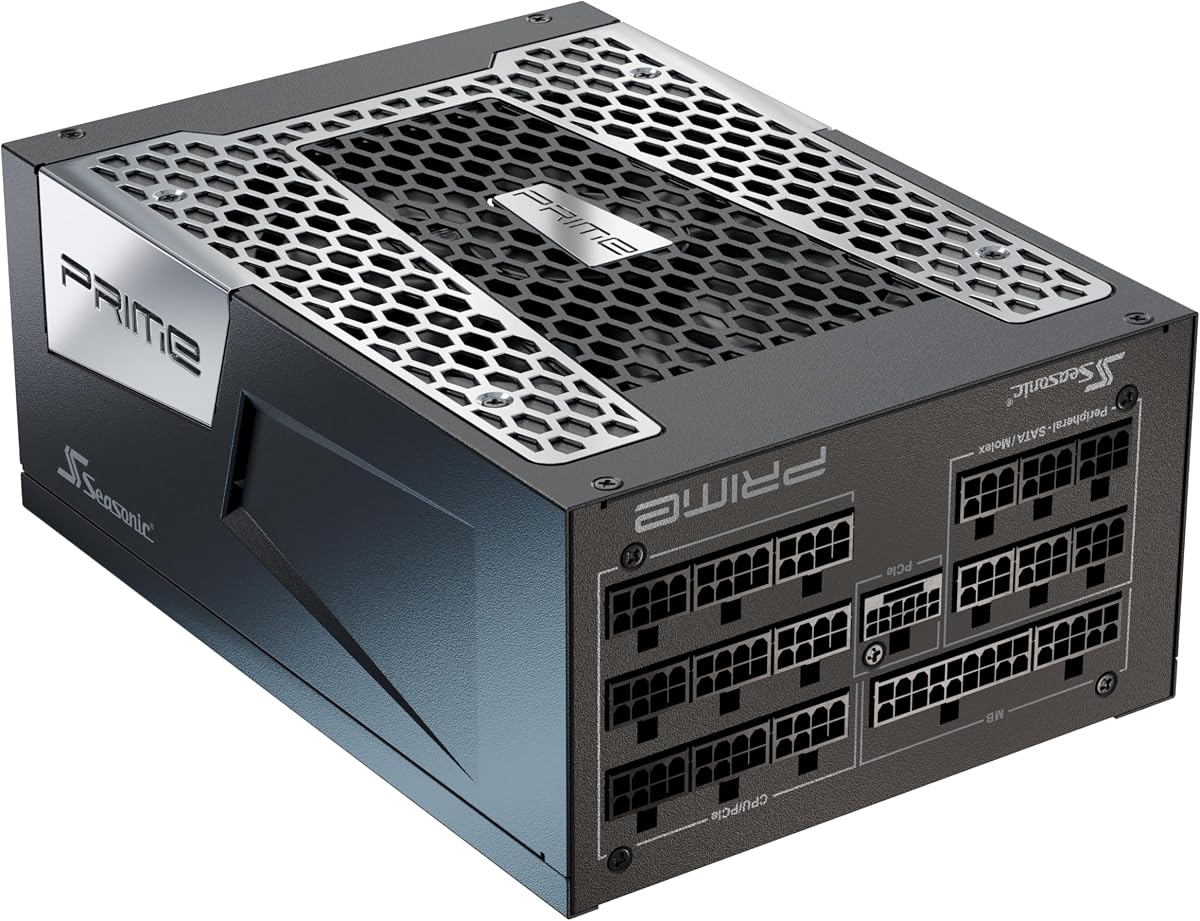
This Seasonic Prime TX-1600 Noctua Edition delivers ultra-quiet operation through a renowned NF-A12x25 fan. It combines state-of-the-art electrical performance with steadfast power delivery suitable for high-end workstations. The custom fan grill optimizes airflow while minimizing noise significantly.
We may earn a commission when you buy through this link, at no additional cost to you.
With semi-passive operation, the fan stays off until 50 percent load for virtually noise-free use. It meets ATX 3.1 and PCIe 5.1 standards, ensuring compatibility with powerful GPUs. Titanium efficiency reduces waste heat and power consumption effectively across loads.
The unit is bulky due to its high wattage and fan size, which may not fit smaller cases. The price is notably higher than standard models, reflecting the premium Noctua components. However, noise-sensitive users will appreciate the silence.
Choose this model if you prioritize whisper-quiet operation and maximum capacity for extreme builds. It is perfect for powerful gaming PCs or workstations where sound levels matter as much as performance.
The NF-A12x25 fan provides unmatched acoustic performance while maintaining excellent cooling efficiency.
1600W capacity ensures headroom for multi-GPU setups or power-intensive rendering tasks.
We may earn a commission when you buy through this link, at no additional cost to you.
The be quiet! Dark Power 13 offers 850W continuous power with Titanium efficiency up to 95.4 percent. It provides benefits like lower power consumption and quieter operation for high-end systems. It is ATX 3.0 compliant with native 12VHPWR connectors for next-gen GPUs.
We may earn a commission when you buy through this link, at no additional cost to you.
It features four independent 12V rails to handle excessive power demands safely. The unit manages power excursions up to double its rated power with ease. This ensures stability even when graphics cards spike during intensive gaming sessions.
While it offers great efficiency, it lacks some advanced features found in more expensive models. The cooling system is effective but not as silent as premium alternatives. Still, it represents strong value for efficient 850W needs.
This unit is recommended for users needing reliable 850W power without excessive cost. It suits gaming systems where efficiency and rail protection are valued over extra bells and whistles.
Handles double rated power excursions ensuring GPU spikes do not cause system shutdowns.
Includes native 12VHPWR connectors for seamless integration with modern graphics cards.
We may earn a commission when you buy through this link, at no additional cost to you.
MSI MPG Ai1300TS PCIE5 introduces GPU Safeguard+ for real-time current protection on connectors. This proactive mechanism alerts users to abnormal current status instantly to maintain functionality. It uses server-grade SiC MOSFETs to enhance efficiency and keep temperatures low simultaneously.
We may earn a commission when you buy through this link, at no additional cost to you.
With dual-native 12V-2×6 connectors, it delivers up to 600W per connector for PCIe 5.1 GPUs. The 135mm Fluid Dynamic Bearing fan ensures durability. Premium copper alloy connectors ensure reliable performance across all cables included.
While protection is excellent, the unit may produce audible fan noise at high loads compared to passive models. The price reflects advanced features but might be steep for budget builds. Still, the warranty offers peace of mind.
Choose this for high-end builds prioritizing GPU safety and future-proofing. It is well-suited for overclockers or professionals requiring stable power and proactive hardware alerts.
Server-grade materials boost efficiency and thermal stability for longer component lifespan.
Includes dual native connectors plus standard PCIe pins for versatile GPU support.
We may earn a commission when you buy through this link, at no additional cost to you.
ASUS ROG Thor features a magnetic OLED display showing real-time power consumption. It uses GaN MOSFETs for higher energy efficiency than standard variants. The patented voltage stabilizer improves voltage delivered to your graphics card for smoother gaming.
We may earn a commission when you buy through this link, at no additional cost to you.
Turbo mode supports extended power excursions with finely tuned ventilation. ROG heatsinks and aluminum housing ensure superior cooling. The double ball bearing extends fan lifespan significantly compared to smooth bearing alternatives.
The OLED display is a novelty that may not appeal to everyone. It comes at a premium price reflecting unique features and high-end components. It is a statement piece for custom builds seeking visual flair.
This unit is best for enthusiasts wanting visible power data and stable performance. It suits those who value aesthetics alongside robust voltage regulation and high-end materials.
Intelligent monitoring boosts GPU voltage delivery by up to 45 percent for stable performance.
Gallium Nitride components improve efficiency and reduce heat generation internally.
We may earn a commission when you buy through this link, at no additional cost to you.
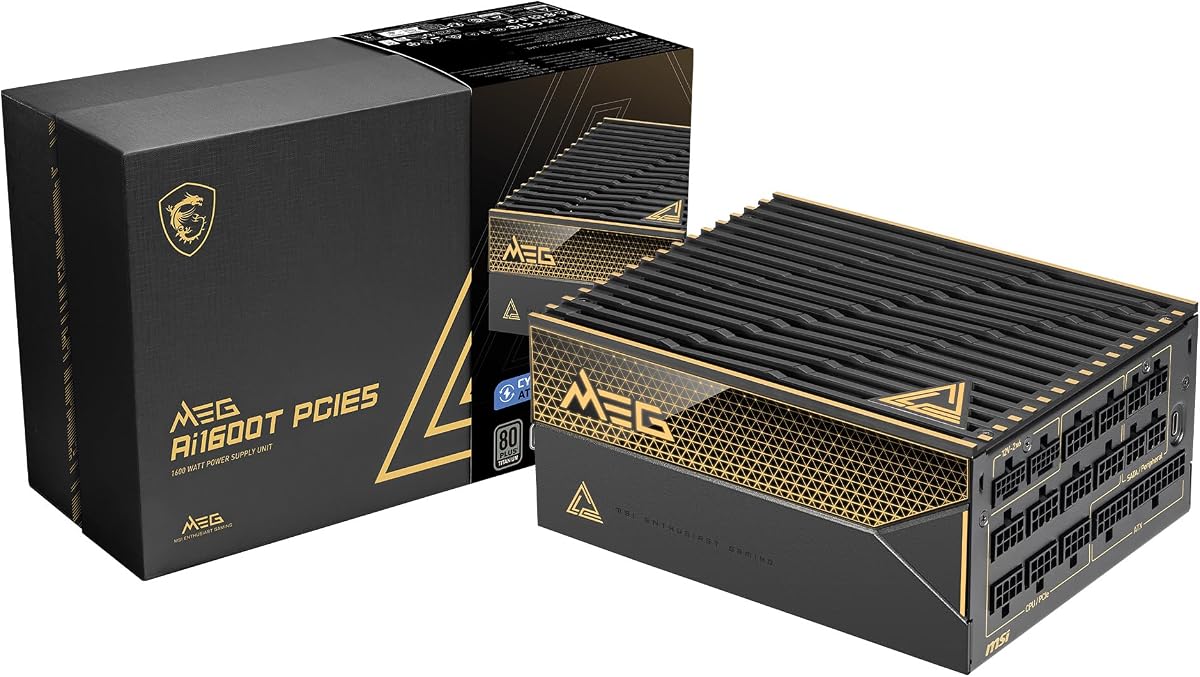
MSI MEG Ai1600T PCIE5 offers tri-certified Titanium certification including 80 PLUS and Cybenetics. It is fully modular and ready for PCIe 5.1 and ATX 3.1 standards. Dual-native 12V-2×6 connectors support next-gen GPUs efficiently.
We may earn a commission when you buy through this link, at no additional cost to you.
100 percent all Japanese 105 C capacitors ensure stability. Industrial level protection covers OCP, OTP, OPP, SCP, OVP, UVP, SIP, and NLO risks. This comprehensive protection suits complex workstation builds.
The 1600W capacity is substantial but increases physical size. Cable management may require planning due to connector count. However, the protection features justify the complexity for power users.
Select this model for extreme gaming rigs or workstation servers needing massive headroom. It is ideal for users prioritizing component safety and longevity in heavy-load environments.
High-grade Japanese capacitors ensure thermal stability up to 105 degrees Celsius.
Eight protection mechanisms safeguard against diverse electrical hazards effectively.
We may earn a commission when you buy through this link, at no additional cost to you.
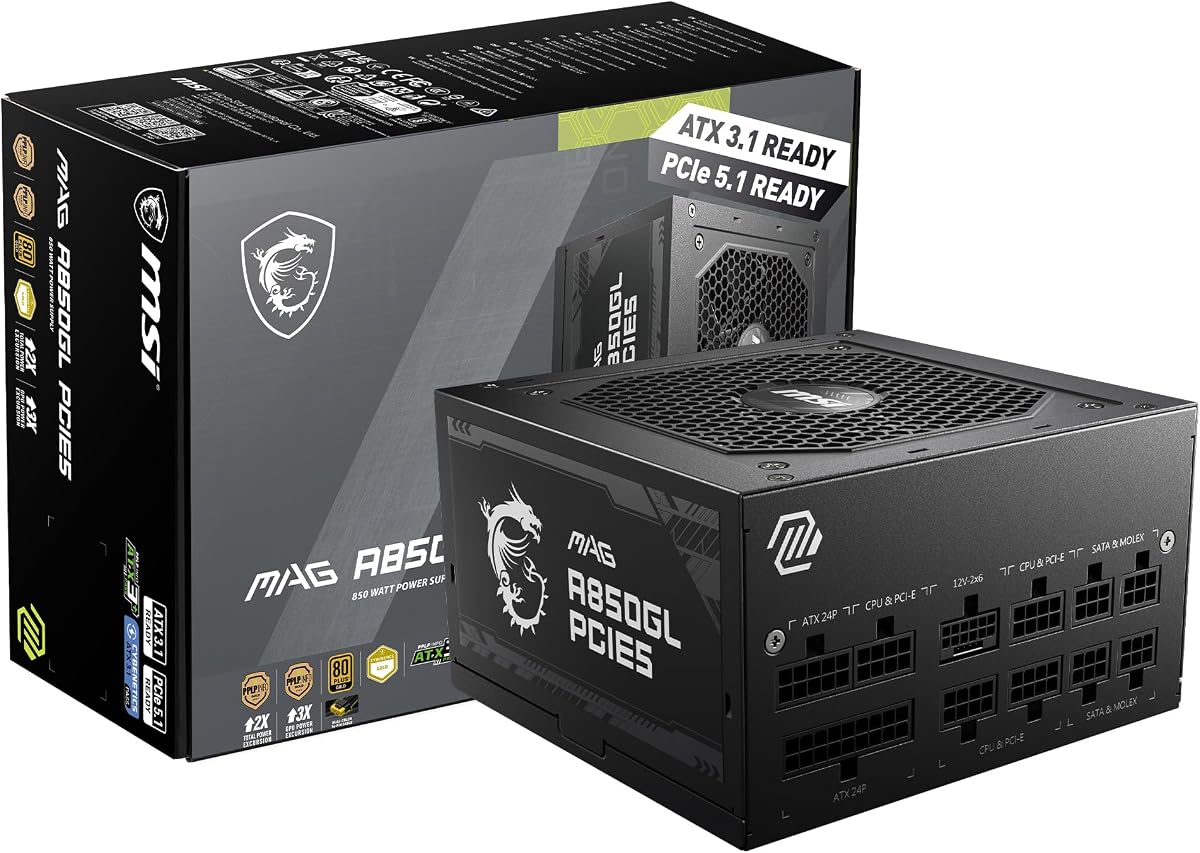
MSI MAG A850GL PCIE5 offers a compact 850W solution with 80 PLUS Gold certification. It features a fully modular design for clean cable management. ATX 3.1 and PCIe 5.1 readiness ensures compatibility with modern GPUs.
We may earn a commission when you buy through this link, at no additional cost to you.
It includes a native dual-color 12V-2×6 cable for safer connections. The 10-year limited warranty guarantees long-term reliable operation. Its compact size helps in smaller cases where space is tight.
While it is Gold rated not Titanium, it remains efficient for most gaming needs. Fewer rails may impact complex multi-component setups but suffice for typical systems. It balances affordability and features well.
This unit suits mid-range gaming builds needing PCIe 5.1 without premium costs. Ideal for budget-conscious users requiring reliable power and compact dimensions.
Smaller footprint allows flexible installation in mini-ITX or micro-ATX cases.
Native 12V-2×6 cable reduces risks of adapter-induced connection failures.
We may earn a commission when you buy through this link, at no additional cost to you.
The Corsair AX Series AX850 delivers 80+ Titanium certification with zero RPM fan mode for silence. It provides world class electrical performance with stable voltages and low ripple noise. A 135mm cooling fan with FDB Bearing ensures low-noise operation under demanding loads.
We may earn a commission when you buy through this link, at no additional cost to you.
Modular cables enhance airflow and organization. Three-color customizable magnetic side labels let you match the build aesthetic. It offers rock-solid stability suitable for audio work or quiet setups.
While it lacks ATX 3.1 features of newer units, it remains a reliable choice for efficiency. The cost is relatively high for 850W compared to competitors. Still, noise reduction is excellent.
Choose this for silent gaming PCs or HTPCs where noise matters most. It fits users who prioritize electrical stability over cutting-edge standards.
Fan stops at low loads ensuring near-silent operation during idle or light tasks.
Precision regulation minimizes voltage ripple protecting sensitive components over time.
We may earn a commission when you buy through this link, at no additional cost to you.
Seasonic Prime TX-1300 offers ultra-high 80 PLUS Titanium efficiency and full modularity. It features Micro Tolerance Load Regulation ensuring tight voltage stability. A top-quality 135mm Fluid Dynamic Bearing Fan keeps noise levels manageable.
We may earn a commission when you buy through this link, at no additional cost to you.
It is ready for ATX 3.0 and PCIe 5.0 standards with premium Japanese capacitors. PVC embossed cables add durability. It supports Nvidia and AMD GPUs effectively with high power delivery.
While it lacks the newest PCIe 5.1 standard, it remains highly compatible and efficient. Bulkiness might be a constraint in compact cases. Overall, it offers robust reliability.
Select this model for users valuing tight voltage control and brand reputation. It suits high-end systems requiring consistent power for complex workloads.
0.5 percent tolerance ensures precise voltage delivery under fluctuating loads.
Japanese capacitors and embossed cables enhance overall system durability and longevity.
We may earn a commission when you buy through this link, at no additional cost to you.
be quiet! Dark Power 14 offers a button to switch between active and semi-passive cooling modes. It delivers up to 95.42 percent efficiency with ATX 3.1 compliance. A large heat sink helps dissipate heat effectively even with titanium efficiency.
We may earn a commission when you buy through this link, at no additional cost to you.
It supports native 12V-2×6 connectors for PCIe 5.1 cards and includes Silent Wings fans. Users can switch to single-rail mode for overclocking. Japanese capacitors ensure stability at up to 105 degrees Celsius.
Managing multiple features may require reading manuals. The higher price reflects advanced tech and cooling versatility. It is a comprehensive choice for enthusiasts.
Ideal for users seeking flexibility in cooling and power distribution. Perfect for high-end gaming rigs requiring both efficiency and active temperature management.
Manual button allows user choice between constant active or semi-passive silent operation.
Single-rail mode delivers full power to GPU for maximum overclocking potential.
We may earn a commission when you buy through this link, at no additional cost to you.
Selecting the right titanium power supply involves evaluating efficiency, wattage, connectors, and build quality to ensure your system runs smoothly.
Look for 80 Plus Titanium or Cybenetics ETA Titanium ratings to ensure over 94 percent efficiency which reduces heat and electricity costs. This certification guarantees high-quality components and better power delivery stability.
Always verify the specific efficiency rating matches your needs and system wattage.
Calculate total system power draw by adding CPU and GPU requirements plus 20 percent headroom. Higher wattage ensures future upgrades without needing replacement or system instability.
Choose a unit with enough continuous power to handle peak loads safely.
Ensure ATX 3.1 and PCIe 5.1 compatibility for newer graphics cards that require 12V-2×6 connectors. Native cables reduce adapter risks and improve safety during installation.
Verify the PSU includes the required native connectors for your GPU model.
Consider fan technology such as Fluid Dynamic Bearings or hybrid modes that allow semi-passive operation for silent performance under light loads. Efficient PSUs generate less heat allowing quieter fans overall.
Check noise ratings and fan curves before finalizing your purchase.
Premium units use Japanese capacitors and conformal coatings to protect against humidity and dust. A longer warranty period indicates manufacturer confidence in reliability and durability over time.
Prioritize brands offering at least 10 years of protection for your investment.
Fully modular cabling allows you to use only necessary cables for better airflow and cleaner builds. Non-modular units may clutter your case limiting air movement and cooling efficiency.
Select fully modular models for improved aesthetics and thermal management.
Advanced protection like GPU Safeguard or OCP, OVP, and OTP prevents damage from power surges or thermal spikes. Proactive alerts give users time to address issues before system failure.
Look for comprehensive protection lists to safeguard your expensive components.
Titanium models cost more than lower tiers but offer better efficiency and longevity over time. Assess budget against long-term energy savings and performance needs to make a smart decision.
Balance upfront cost with benefits like heat reduction and component safety.
Install the power supply in a well-ventilated area ensuring adequate airflow around the fan intake and exhaust. Secure it firmly with screws to prevent vibration noise and loose connections.
Connect native PCIe 5.1 or 12V-2×6 cables directly to compatible GPUs without adapters whenever possible. This reduces connection resistance and improves safety under high power demands.
Periodically clean dust from the fan and vents using compressed air to maintain optimal cooling efficiency. Avoid operating the system in high humidity or dusty environments without proper case filtration.
80 Plus Titanium certification means the power supply achieves at least 90 percent efficiency at 10 percent load and up to 94 percent at typical loads. This ensures less wasted energy as heat and lower electricity costs compared to lower tiers.
Titanium is not strictly required for gaming but provides better efficiency and lower heat. If you have high-end GPUs or run long sessions, Titanium reduces overall system heat and power bills.
Adapters work but native 12V-2×6 cables are safer. Adapters add resistance and heat. Check if your PSU includes native cables before using adapters for new GPUs.
Yes, Japanese capacitors handle higher temperatures and last longer. They provide more stable voltage and less ripple. This improves overall reliability especially under continuous heavy loads.
ATX 3.1 ensures support for power excursions and modern connector standards. It is crucial for next-gen GPUs to avoid adapter use and ensure stable power delivery under peak loads.
Not necessarily. Higher wattage PSUs often run more efficient at lower percentages of load. Choosing enough wattage to run at optimal load improves efficiency.
Zero RPM mode stops the fan at low loads for silent operation. It ramps up only when temperatures rise. This is ideal for quiet builds and light usage scenarios.
The FSP Hydro Ti Pro 1000W leads our list for balanced efficiency and modern standards. For those prioritizing noise, the Seasonic Prime TX-1600 Noctua Edition is unmatched. The be quiet! Dark Power 13 offers strong value for 850W needs.
Prioritize ATX 3.1 compliance and native connectors if you own next-gen graphics cards. Look for high-quality capacitors and robust protection features to safeguard your hardware. Long warranties indicate confidence in component lifespan.
Check current pricing and availability before purchase to ensure the best deal. Your power supply is the heart of your system so investing in efficiency and reliability pays off in long-term performance.