
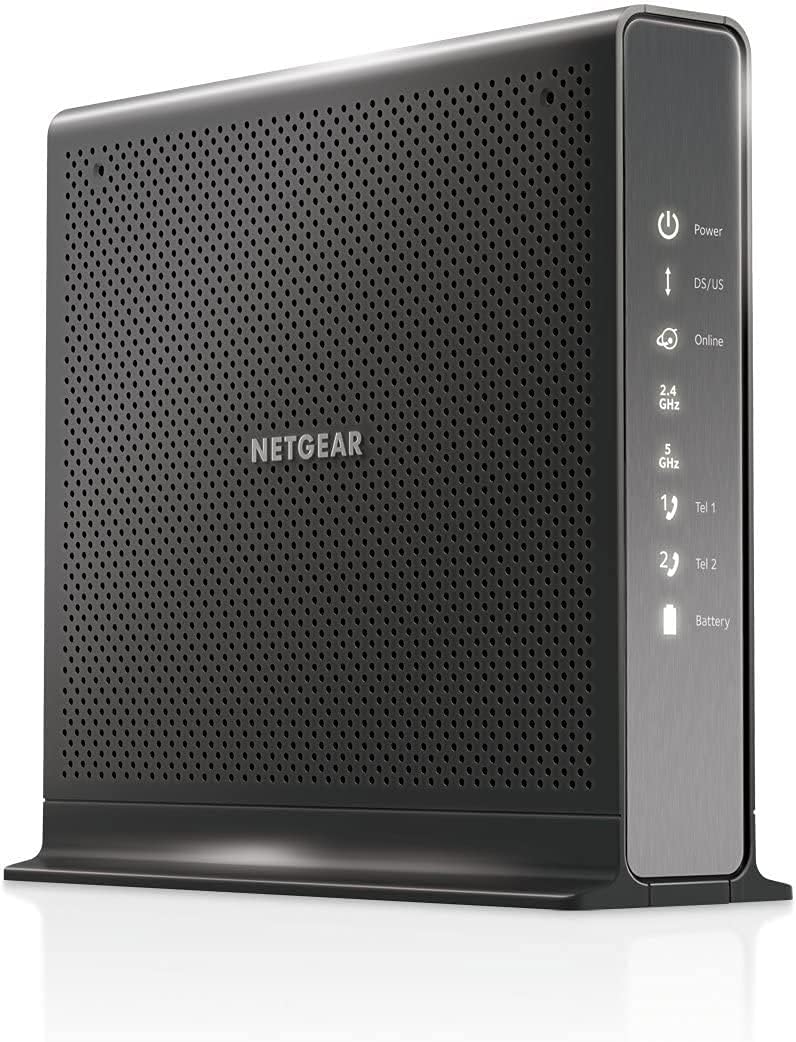
NETGEAR Nighthawk Cable Modem and WiFi 5 Router Combo (C7000)
4.2Editor score
AC1900 WiFi 5 Speed For Streaming
Certified With Xfinity And Cox Providers
Save Up To 150 Dollars Year On Fees
This guide compares the top cable modem wifi router combo units for speed and reliability across major US providers to help you save on rental fees.
Finding the right cable modem wifi router combo can transform your home network experience by merging two essential devices into one sleek unit. These all-in-one solutions offer convenience and potential savings on monthly rental fees while delivering robust performance for modern digital lifestyles.
We evaluated ten leading models based on DOCSIS standards, Wi-Fi generation, coverage area, and provider compatibility to ensure you get reliable connectivity. Our analysis focuses on real-world performance metrics, security features, and ease of setup to help you make an informed decision quickly.
Each pick in this list highlights specific strengths such as gaming optimization, whole-home coverage, or budget-friendly pricing to match diverse household needs. Please note that product availability and pricing fluctuate frequently so verify current details before purchasing to secure the best value today.
4.2Editor score

4.1Editor score

3.9Editor score
The following table provides a side-by-side comparison of all ten reviewed units highlighting key specifications like speed ratings and coverage areas for quick reference.





The NETGEAR Nighthawk CAX30 stands out as a top choice for households needing reliable high-speed internet through a single device. It combines DOCSIS 3.1 modem technology with WiFi 6 routing to deliver seamless connectivity across various rooms without signal loss or lag during peak usage times.
We may earn a commission when you buy through this link, at no additional cost to you.
This model supports cable internet plans up to 1Gbps or higher depending on your provider ensuring you utilize your subscribed speed fully. The dual-band AX2700 system handles twenty-five connected devices simultaneously making it ideal for families streaming 4K content gaming or working from home on multiple laptops.
While it carries a premium price tag the long-term savings on rental fees justify the investment for most users. The Nighthawk app simplifies network management allowing you to run speed tests pause devices or set guest networks from your smartphone with minimal technical knowledge required.
You should buy this unit if you want a future-proof solution that supports upcoming internet speed upgrades from major US cable providers. It is especially recommended for tech-savvy households prioritizing performance security and ease of use over initial cost considerations.
Low latency and OFDMA technology ensure smooth gameplay and uninterrupted video calls even when multiple users are online.
Built-in WPA3 encryption and firewall protection keep your personal data safe from online threats without extra monthly fees.
We may earn a commission when you buy through this link, at no additional cost to you.
The NETGEAR Nighthawk C7000 offers exceptional value for users on mid-tier cable plans who do not need the latest WiFi standards. It provides stable connectivity for everyday tasks like browsing social media streaming HD video and remote work without breaking the bank on hardware costs.
We may earn a commission when you buy through this link, at no additional cost to you.
With AC1900 combined speeds it supports internet plans up to 800Mbps which covers most standard household needs effectively. Beamforming+ technology boosts range and reduces dead spots ensuring consistent performance throughout a typical home layout even with walls or floors interfering with signals.
Although it lacks WiFi 6 capabilities it remains a solid choice for current internet speeds and budget-conscious shoppers. The included USB 2.0 port allows you to connect external storage drives enabling file sharing across devices on your local network easily.
This unit is perfect for renters or small families who want to eliminate monthly equipment rental fees immediately. If your provider offers plans below 1Gbps and you prioritize cost savings over cutting-edge wireless features this model delivers reliable performance.
Paying once for hardware saves money over time compared to continuous rental fees charged by most internet service providers.
The Nighthawk app lets you control parental controls and device prioritization without needing complex router configuration settings.
We may earn a commission when you buy through this link, at no additional cost to you.
The renewed version of the NETGEAR Nighthawk CAX30 brings advanced WiFi 6 and DOCSIS 3.1 capabilities at a reduced price point. It is ideal for buyers who want premium performance but prefer to spend less by choosing a professionally refurbished device instead of brand-new hardware.
We may earn a commission when you buy through this link, at no additional cost to you.
Performance matches the new model with support for multi-gigabit internet plans and robust whole-home coverage. Link aggregation doubles capacity handling more devices without slowdowns making it suitable for busy households with multiple users accessing the network simultaneously.
Refurbished units undergo testing to ensure they meet original specifications so you get reliable service without paying full retail. Just check the warranty terms as they may differ from new purchases but often still provide adequate protection against defects.
Buy this if you are comfortable with refurbished electronics and want to maximize value while keeping network performance high. It works well for tech enthusiasts who understand hardware lifecycle and appreciate the environmental benefits of reusing technology.
Access high-end specs like DOCSIS 3.1 and WiFi 6 without the premium cost associated with new retail packaging and marketing.
Choosing renewed reduces electronic waste by extending the lifecycle of high-quality networking equipment already manufactured.
We may earn a commission when you buy through this link, at no additional cost to you.
This variant of the NETGEAR Nighthawk CAX30 is optimized for users with high-speed cable plans up to 2Gbps ensuring you get full value from your subscription. It utilizes DOCSIS 3.1 and WiFi 6 to handle rapid data transfers and multiple connected devices efficiently across your living space.
We may earn a commission when you buy through this link, at no additional cost to you.
The inclusion of a USB 3.0 port allows for faster file transfers compared to older USB 2.0 options enabling quick sharing of large media files or backups. This feature appeals to power users who need local network storage without relying on cloud services for every file.
While the physical port count is standard the wireless capacity is excellent for modern smart homes with dozens of IoT devices. Port aggregation support offers flexibility for connecting multiple wired devices simultaneously without needing external switches in many scenarios.
Select this model if you have upgraded your internet plan and need hardware capable of keeping up with blazing fast download rates. It is a reliable choice for households needing speed and connectivity features without the complexity of separate modem and router units.
Built to handle upcoming bandwidth increases so you won need to replace hardware soon when your provider upgrades services.
Advanced power management features help reduce energy consumption while maintaining high performance during active usage hours.
We may earn a commission when you buy through this link, at no additional cost to you.
The ARRIS Surfboard G34 stands out for its compact modern design that fits neatly on shelves or desks without taking up much room. It offers DOCSIS 3.1 multi-gigabit performance supporting plans up to 2.5Gbps while maintaining a sleek look that complements home decor styles.
We may earn a commission when you buy through this link, at no additional cost to you.
This unit supports dual-band WiFi 6 with AX3000 speeds ensuring efficient bandwidth usage across connected devices. Four Gigabit Ethernet ports provide ample options for wired connections to gaming consoles or desktop computers requiring stable low latency links.
Setup is straightforward with clear LED indicators guiding you through the activation process on your ISP account online. CableLabs certification ensures it works reliably with major providers like Xfinity Cox and Spectrum though checking specific model support is always recommended.
Consider this device if you prioritize a small footprint and ease of use over extra customization options. It is a practical choice for small apartments or offices where space is limited but high-speed internet performance remains a top priority.
Simple LED lights display power and online status so you can quickly check connection health without accessing menus.
Certified to work with multiple ISPs giving you flexibility if you move or switch service providers later.
We may earn a commission when you buy through this link, at no additional cost to you.
The renewed NETGEAR Nighthawk C7000 provides a budget-friendly entry point into owning your modem router combo without sacrificing essential functionality. It supports plans up to 800Mbps with AC1900 WiFi 5 speeds suitable for general browsing and streaming needs effectively across average home sizes.
We may earn a commission when you buy through this link, at no additional cost to you.
Refurbished units are tested for functionality so you get stable internet performance at a fraction of the original retail cost. The AC1900 dual-band system reduces congestion during peak hours ensuring smoother performance compared to single-band legacy devices on the market.
This model is ideal for renters or small households wanting to stop paying rental fees immediately without high upfront costs. While it lacks the latest WiFi 6 features it remains capable of delivering fast reliable internet for typical daily online activities comfortably.
Choose this option if you are price-sensitive and have moderate internet speed requirements from your service provider. It offers a reliable balance between cost and performance for users who do not need cutting-edge wireless technology right now.
Stopping monthly equipment fees right away offsets the initial purchase price within a few months of usage.
Basic features like parental controls and security encryption work well to keep your network safe and managed.
We may earn a commission when you buy through this link, at no additional cost to you.
The NETGEAR Nighthawk CAX80 delivers top-tier performance with AX6000 WiFi 6 speeds and DOCSIS 3.1 support for plans up to 2Gbps. It is built for large homes needing extensive coverage and capacity to handle thirty connected devices simultaneously without slowdowns or signal drops.
We may earn a commission when you buy through this link, at no additional cost to you.
This model includes a dedicated 2.5 Gigabit port for wired devices ensuring your gaming PC or NAS can fully utilize your internet speed. Wireless performance extends up to 2500 square feet making it one of the most capable combo units available for whole-home connectivity today.
Premium pricing reflects its advanced hardware and capabilities making it suitable for power users demanding maximum network efficiency. Security features like WPA3 encryption and Armor trial provide robust protection against online threats protecting sensitive family data effectively.
Invest in this unit if you have a large property and require high throughput for multiple streams gaming and downloads concurrently. It is a future-proof investment for tech-savvy households that want the absolute best in wireless range and wired speed options.
Extended coverage ensures every corner of a large home receives strong signal strength for seamless internet access.
The 2.5Gbps Ethernet port eliminates bottlenecks for desktops or servers needing maximum transfer speeds locally.
We may earn a commission when you buy through this link, at no additional cost to you.
The NETGEAR C7100V offers a unique solution for households needing home phone service alongside high-speed internet and WiFi. It supports Xfinity voice plans with two VoIP ports allowing you to keep landline phones connected directly to your modem router unit without separate hardware.
We may earn a commission when you buy through this link, at no additional cost to you.
Designed for plans up to 600Mbps it provides sufficient speed for daily internet tasks while maintaining stable voice call quality. Optional battery backup ensures your phone stays working during power outages which is critical for emergency communications in many households.
While primarily useful for bundled voice services it delivers solid WiFi performance for basic connectivity needs. The integration of voice reduces cable clutter and simplifies your setup by combining modem router and telephony functions into one device.
Choose this model if you rely on Xfinity voice services and want to eliminate equipment rental fees for both internet and phone lines. It is a specialized choice that pays off for specific bundles rather than general internet-only users needing maximum speed.
Dedicated phone ports make connecting landlines easy without needing extra adapters or standalone telephone adapters.
Optional battery backup ensures you stay connected during short power failures by keeping voice service active.
We may earn a commission when you buy through this link, at no additional cost to you.
The NETGEAR C6250 is a compact and affordable choice ideal for small homes or apartments with modest internet needs. It supports plans up to 300Mbps with AC1600 WiFi speeds covering up to 1500 square feet effectively for typical daily online activities.
We may earn a commission when you buy through this link, at no additional cost to you.
This unit offers essential features like parental controls and WPA/WPA2 security to keep your network safe without unnecessary complexity. With two Gigabit Ethernet ports it handles wired connections for key devices like smart TVs or gaming consoles reliably.
It is designed for users who want a straightforward setup and elimination of rental fees without overspending on advanced features. The small footprint makes it easy to place in tight spaces while still providing consistent WiFi signal throughout a modest living area.
Buy this model if you have a small household and standard internet speeds from your provider. It offers a practical balance of performance and cost for those not needing high-speed gaming or extensive device connectivity simultaneously.
Straightforward setup and controls make it easy for non-tech users to get online and manage basic settings.
Lower cost ensures you save money on hardware while still meeting the speed needs of light internet users.
We may earn a commission when you buy through this link, at no additional cost to you.
The ARRIS SBG7600AC2 is a reliable mid-tier combo device designed for households needing stable performance up to 800Mbps internet plans. It features AC2350 WiFi speeds which offer better bandwidth than standard AC1600 or AC1900 models supporting multiple devices well.
We may earn a commission when you buy through this link, at no additional cost to you.
Its simple setup process via the SURFboard Central App makes installation quick and allows real-time monitoring of network devices. Four Gigabit Ethernet ports provide flexibility for connecting computers or game consoles requiring wired links for best performance and latency.
Parental controls let you manage screen time and pause internet access for specific devices helping maintain a balanced home environment. This device is suitable for users who want solid performance and brand trust without the highest-end specs available on the market.
Select this model if you want a proven workhorse that handles everyday internet usage reliably. It balances features and price well for users seeking dependable connectivity and basic management tools without paying for unnecessary advanced technology.
The SURFboard app simplifies network management with intuitive controls for speed testing and device monitoring.
Four Gigabit ports ensure you have enough wired options for all your main devices without needing a switch.
We may earn a commission when you buy through this link, at no additional cost to you.
Selecting the right combo unit involves considering technical specifications and your household needs to ensure optimal performance and value.
DOCSIS version determines the maximum cable internet speed your modem can handle so match it to your plan's tier. DOCSIS 3.1 supports multi-gigabit speeds while 3.0 is limited to 800Mbps or less depending on provider configurations.
Always verify DOCSIS compatibility with your internet service provider before purchasing to avoid connectivity issues.
WiFi 6 (802.11ax) provides better efficiency for multiple devices compared to WiFi 5 (802.11ac) and is recommended for busy households. Newer standards reduce congestion and improve speed for connected devices in crowded networks.
Prioritize WiFi 6 models for future-proofing and smoother performance across many connected devices simultaneously.
Look for units rated to cover your home's square footage to ensure strong signals reach all rooms without dead zones. Higher-end models often offer 2000 to 2500 square feet of coverage depending on layout and materials.
Choose a coverage rating that exceeds your home size slightly to maintain strong signal strength throughout your space.
Four Gigabit Ethernet ports are standard for wired connections to high-demand devices like gaming consoles or desktop PCs. Some models include USB ports for sharing printers or storage drives over your local network.
Verify there are enough ports for your wired devices and check for USB utility if you need local file sharing.
Ensure the modem is certified for use with your ISP to avoid activation issues or service interruptions after setup. Major providers like Xfinity Spectrum and Cox maintain lists of approved hardware models on their websites.
Always check your ISP's approved device list before buying to ensure the unit will work with your service account.
Modern combos include WPA3 encryption and firewall protections to safeguard your network from external threats intrusions automatically. Some offer trial security suites to extend protection against malware and identity theft without extra costs.
Prioritize models with built-in advanced encryption and security tools to keep personal data safe online.
User-friendly apps simplify initial activation and ongoing network management such as pausing devices or changing passwords remotely. Browser-based setup may also be available for those who prefer not to download mobile applications.
Choose units with intuitive setup processes and management apps to save time configuring and controlling your network.
While upfront costs vary paying for your own hardware typically saves money compared to ongoing monthly rental fees from ISPs. Consider total cost of ownership over several years to decide which model offers the best financial return.
Balance initial expense with long-term savings on rental fees to find the most economical choice for your budget.
Start by connecting the coaxial cable to the modem input and plugging the power adapter into an electrical outlet. Use an Ethernet cable to connect the modem to a computer or router if needed to verify connection status indicators.
Follow your ISP's online activation portal to register the device using its MAC address or serial number. This step is critical for enabling internet access and configuring network settings for your home devices correctly.
Place the unit in a central location away from walls or metal objects for optimal WiFi signal range. Regularly check for firmware updates through the admin app or web interface to maintain security and performance levels.
No a combo unit includes both modem and router functionality so you typically do not need a separate router for home internet. This all-in-one device handles connecting to your ISP and distributing WiFi signals to your devices.
DOCSIS 3.1 supports higher internet speeds and more efficient data transmission compared to 3.0. It enables multi-gigabit plans and improved performance for streaming and online activities in modern households.
Most modern units update firmware automatically but checking monthly ensures you have the latest security patches. Manual updates can also be triggered through the web interface if your ISP releases new software versions.
No combo units are designed specifically for cable internet services over coaxial cables. Fiber providers use different ONT equipment so these combos are incompatible with fiber-based internet connections.
Most standard combos do not support voice services but specific models with phone ports can. Check product details or contact your provider to confirm voice compatibility before purchasing a combo unit.
Use the reset pinhole on the back to perform a factory reset if troubleshooting fails. Hold the button for about ten seconds until lights flash and wait for the modem to reboot and reconnect.
Combos save space and simplify setup while separate devices offer more flexibility for upgrades. Combos are better for most users seeking convenience while separate units suit tech enthusiasts needing specific modem or router features.
If your plan exceeds the combo unit's DOCSIS capabilities you may experience slower speeds. Check device specs before upgrading plans to ensure the unit supports your new speed tier properly.
The NETGEAR Nighthawk CAX30 and C7000 models stand out as top choices for most households seeking balance and performance. These units provide reliable connectivity and features that suit both standard and high-speed internet plans across major US providers.
Prioritize your specific needs such as speed requirements or budget to narrow down the options that best match your home network. Understanding DOCSIS standards and WiFi generations helps you choose a unit that supports your current and future internet usage.
Remember to verify current pricing and availability as these factors change frequently across online retailers. Confirm device compatibility with your ISP to ensure seamless activation and uninterrupted service after purchase.