
FLASHFORGE Creator 5 Pro
4.0Editor score
Four-toolhead system
Heated chamber
Near-zero waste
Compare the top 3D printer for figurines and models. This guide reviews speed, precision, multi-color features, and ease of use for hobbyists and pros.
Finding the right 3D printer for figurines and models requires balancing speed, precision, and material versatility. Whether you are a hobbyist creating collectibles or a professional prototyping parts, the right machine ensures detailed results without frustrating failures.
We evaluated ten leading printers based on build volume, printing speed, calibration ease, and support for multi-color outputs. Our analysis focuses on real-world performance for small intricate parts, ensuring you can select a device that matches your creative workflow and budget constraints.
Each pick highlights unique strengths like auto-leveling, heated chambers, or AI monitoring to help you decide. Note that prices and availability change frequently, so verify current listings before purchasing. This guide aims to streamline your selection process with clear, factual comparisons.
4.0Editor score

4.7Editor score

4.0Editor score
The following table provides a side-by-side comparison of the top ten models. It highlights key specifications such as speed, build volume, and unique features to help you narrow down your choice quickly.





The Bambu Lab A1 stands out as a top contender for creating detailed figurines. It combines high acceleration with active flow compensation to ensure crisp edges on small models. Its full-auto calibration makes it ideal for users who want reliable results without technical fuss.
We may earn a commission when you buy through this link, at no additional cost to you.
With speeds up to 10,000 mm/s acceleration, this printer reduces wait times significantly. The ability to handle multi-color prints with the AMS lite system adds creativity to character models. The active motor noise canceling keeps the environment quiet during long print jobs.
While the base model requires an extra purchase for multi-color capabilities, the core performance remains excellent. The 1-Clip quick swap nozzle simplifies maintenance tasks. Users may find the build volume limiting for very large statues but it suffices for most miniatures.
This printer is perfect for enthusiasts seeking speed and precision without complex configuration. Its seamless interface and automatic adjustments ensure consistent quality. For those prioritizing ease of use alongside professional-grade detail, the A1 delivers a compelling package for modern makers.
The high acceleration rate allows rapid printing without sacrificing detail on intricate parts.
Full-auto calibration eliminates manual bed leveling, making it accessible for beginners.
We may earn a commission when you buy through this link, at no additional cost to you.
The Bambu Lab P2S Combo offers a robust solution for complex figurine projects. Its high-speed printing maintains sharp corners and smooth layers. The AMS 2 Pro includes built-in filament drying to ensure materials print smoothly.
We may earn a commission when you buy through this link, at no additional cost to you.
Adaptive airflow technology balances cooling for overhangs and heat retention for engineering materials. AI failure detection watches prints in real time to save time and filament. Quick-swap nozzles allow easy switching between standard and high-temperature setups.
The setup process is streamlined to start printing within fifteen minutes. While the combo is an investment, it provides a complete workflow for advanced users. The enclosure helps maintain thermal stability for more challenging filaments.
This printer suits professionals needing reliable high-speed production. Its advanced features minimize manual intervention and maximize uptime. For those looking to push the limits of FDM printing with multi-material support, it is a strong choice.
The system handles various filaments including engineering-grade materials with temperature control.
Built-in drying and AI monitoring reduce failures and material waste significantly.
We may earn a commission when you buy through this link, at no additional cost to you.
The FLASHFORGE Creator 5 Pro introduces a unique 4-toolhead system for industrial applications. It switches nozzles without flushing filament, eliminating massive waste. This efficiency is ideal for multi-color or multi-material figurines.
We may earn a commission when you buy through this link, at no additional cost to you.
An active heated chamber up to 65°C prevents warping in advanced filaments. The CoreXY structure and linear rails ensure high speed without vibration. Dual HEPA filtration keeps the workspace safe from fumes.
Real-time monitoring and remote control allow users to manage prints from anywhere. The automated toolhead calibration ensures precise first layers consistently. While powerful, the system requires more initial configuration than consumer models.
This printer is best for professional shops needing high throughput. Its robust build and zero-waste design justify the investment for frequent users. For intricate multi-part models requiring distinct materials, it offers unmatched flexibility.
Independent toolheads eliminate purge waste during color or material transitions.
The heated chamber supports engineering-grade filaments like ABS and PC reliably.
We may earn a commission when you buy through this link, at no additional cost to you.
The Bambu Lab P1S delivers high-speed performance in an enclosed form factor. It supports up to 16 colors when paired with the AMS. The automatic bed leveling ensures a consistent start for every print.
We may earn a commission when you buy through this link, at no additional cost to you.
Its fast acceleration reduces production time for multiple models. The design supports a wide range of filaments including ABS and PETG. Setup takes about fifteen minutes to get printing.
Users can connect the AMS system for complex multi-material designs. The enclosure helps manage temperature for better layer adhesion. This printer balances speed and reliability for home workshops.
It is an excellent choice for makers who need speed. The ecosystem offers seamless software integration for easy operation. For figurines requiring durability and color detail, it provides a solid foundation.
The enclosed body supports advanced filaments that need temperature stability.
Compatible with Bambu Handy and Studio for remote monitoring.
We may earn a commission when you buy through this link, at no additional cost to you.
The FLASHFORGE AD5X features Independent Filament System technology for multi-color prints. It reaches speeds up to 600mm/s with a 300°C nozzle. This allows a wide variety of materials for diverse projects.
We may earn a commission when you buy through this link, at no additional cost to you.
Full automatic leveling saves time and reduces errors. The large build volume accommodates bigger figurines or multiple small items. High-speed printing speeds up prototyping cycles significantly.
The system ensures a perfect first layer every time. Users benefit from a straightforward interface for daily tasks. It provides a strong balance of speed and capacity.
This model fits makers who need speed and color options. The hardware supports complex designs effectively. For detailed projects with multiple materials, it offers a practical solution.
High nozzle temperature supports advanced and engineering filaments.
The 220mm build size allows for larger single-piece models.
We may earn a commission when you buy through this link, at no additional cost to you.
The Snapmaker U1 offers a powerful 4-toolhead system with 5-second changing. It allows true multi-color printing without purging filament. This minimizes waste and speeds up production cycles.
We may earn a commission when you buy through this link, at no additional cost to you.
It supports mixed-material printing like rigid and flexible parts. The CoreXY motion system maintains accuracy at high speeds. Smart calibration ensures smooth first layers automatically.
Snapmaker Orca software provides a custom open-source slicing experience. Built-in monitoring and remote control enhance usability. The system is designed for both beginners and pros.
This printer is great for functional parts and detailed models. It reduces material waste significantly. For users seeking a reliable industrial-grade home printer, it is a top choice.
Tool switching avoids filament purging to save material and money.
Combine rigid and flexible filaments in one print for unique designs.
We may earn a commission when you buy through this link, at no additional cost to you.
The Creality SPARKX i7 features AI photo-to-3D modeling. It can turn portraits into unique figurines quickly. The printer arrives 95% pre-assembled for quick setup.
We may earn a commission when you buy through this link, at no additional cost to you.
Its AI detects failures and spaghettis in real time. Quiet night mode allows for silent operation. Custom RGB quick-swap parts add to the user experience.
The AI generates 3D models in seconds without complex software. This makes it accessible for those new to digital modeling. The build volume supports larger items comfortably.
This printer is ideal for personalized gifts and quick prototypes. Its smart detection reduces failure rates. For creative users who want fast starts, it is a strong candidate.
Upload a photo to generate a printable 3D model instantly.
Minimal assembly and AI monitoring simplify the creation process.
We may earn a commission when you buy through this link, at no additional cost to you.
The FLASHFORGE Adventurer 5M Pro uses a CoreXY frame for fast printing. It reaches speeds up to 600mm/s with auto leveling. The 3-second quick-swap nozzle simplifies maintenance.
We may earn a commission when you buy through this link, at no additional cost to you.
Dual filtration ensures a clean environment during operation. High-temp extruder supports ABS and PETG. A smart camera allows monitoring and time-lapse creation.
Vibration compensation eliminates ghosting and ringing. The enclosed chamber maintains thermal stability. This setup reduces manual calibration time significantly.
It is suited for general-purpose prototyping. The speed and ease of use are key benefits. For consistent high-quality prints, it performs well.
CoreXY structure and high acceleration deliver rapid prints.
Quick-swap nozzle and auto leveling save time daily.
We may earn a commission when you buy through this link, at no additional cost to you.
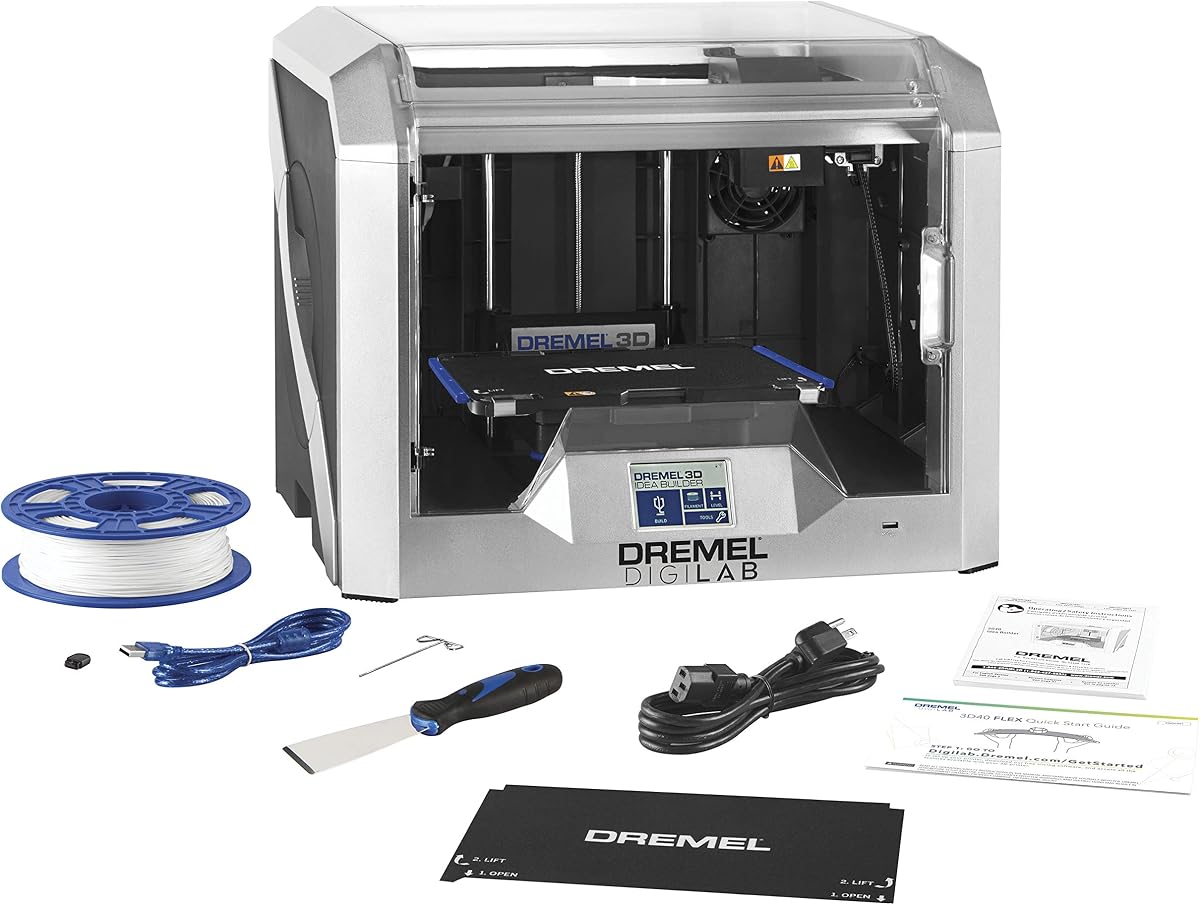
The Dremel 3D40 Flex features a flexible build plate for easy removal. It uses a direct drive extruder for smooth prints. Fully enclosed housing ensures safety.
We may earn a commission when you buy through this link, at no additional cost to you.
Automated 9-point leveling adjusts for bed variations. It offers reliable daily operation with minimal maintenance. The system is user-friendly for novices.
Filament detection pauses and resumes when refilled. It has lifetime customer service access. The build volume supports various model sizes.
This printer is great for schools and home use. Safety and reliability are top priorities. For consistent results without complexity, it is a good fit.
Automated leveling and direct drive reduce printing errors.
Fully enclosed and UL listed for safe operation.
We may earn a commission when you buy through this link, at no additional cost to you.
The Bambu Lab A1 Combo offers a complete multi-color system. It includes the AMS Lite for vibrant prints. Active flow compensation ensures accurate extrusion.
We may earn a commission when you buy through this link, at no additional cost to you.
Fully automatic calibration handles Z-shift and bed leveling. The quick-change nozzle simplifies maintenance. Active motor noise cancellation keeps it quiet.
It provides precision and speed for enthusiasts. The open frame design offers good visibility. The workflow is optimized for seamless printing.
This model is ideal for those wanting full features. The multi-color capability expands design options. For detailed figurines, it delivers high-quality results.
Active flow compensation adjusts extrusion for precise detail.
Automatic calibration ensures perfect starts every time.
We may earn a commission when you buy through this link, at no additional cost to you.
Selecting the right printer involves balancing speed, precision, and ease of use. These factors ensure your models turn out detailed and reliable.
Build volume determines the maximum size of a single model. For figurines, a 200mm cube is usually sufficient. Larger volumes allow printing full statues without supports.
Check if you need larger space for multi-part assemblies.
Faster speeds reduce production time. High-speed printers like Bambu Lab and FLASHFORGE offer quick turnaround. However, ensure accuracy is maintained at high speeds.
Look for systems with active flow compensation for detail.
Multi-color systems add life to models. Some use toolheads while others use filament changers. IFS or AMS systems enable vibrant outputs.
Choose systems that minimize waste during color changes.
Different materials require specific temperatures. High-temp nozzles support ABS and engineering filaments. Check nozzle ratings and chamber heating options.
Chambers with heating improve adhesion and prevent warping.
Auto-leveling saves time and ensures reliability. Full-auto systems adjust Z-offset and flow automatically. Look for printers with quick setup guides.
Manual calibration should be minimal for smooth operation.
Quiet operation is important for home use. Active noise cancellation or low-noise motors help. Safety features like HEPA filters and enclosures protect users.
Look for UL listings to ensure safe operation.
Open-source software allows customizing settings. AI detection helps monitor prints remotely. Integration with cloud platforms simplifies workflows.
Choose printers with compatible slicers for best results.
Reliable customer support prevents downtime. Brands like Dremel offer lifetime service. Check warranty duration and community forums.
A strong warranty adds value for long-term use.
Start by calibrating the print bed. Most printers have auto-leveling to ensure a flat surface. Check for any loose belts before starting a job.
Clean the build plate regularly with alcohol. Dust and oils can prevent the first layer from sticking. Replace the plate if it becomes scratched or worn.
Store filaments in dry environments to avoid moisture. Drying kits help keep materials fresh. Update your printer's firmware for new features and stability.
The Bambu Lab A1 is highly recommended for beginners. It offers auto-calibration and fast speeds. Its user-friendly setup reduces the learning curve.
Use a printer with an AMS or IFS system. These allow multiple filaments in one job. Some systems use toolheads to avoid waste.
PLA is the most common choice. It is easy to print and holds detail well. PETG adds durability if the model needs to be handled.
Layer lines depend on the layer height. Lower heights like 0.1mm reduce visibility. Ensure the printer is calibrated properly to avoid artifacts.
Print times vary by size and speed. Simple figurines may take 3 to 6 hours. Fast printers can complete detailed models in under an hour.
Enclosures help with temperature stability. They are useful for ABS or ASA. For PLA, open frames work well but enclosures prevent drafts.
The Bambu Lab A1 leads with speed and automation. The FLASHFORGE Creator 5 Pro suits industrial multi-material needs. The Creality SPARKX i7 offers unique AI modeling.
Prioritize auto-calibration and material support for best results. Choose systems that fit your workflow and budget. Reliability is key for consistent quality.
Verify current listings before purchasing as prices change. Explore community forums for setup tips. With the right machine, creating detailed models becomes seamless.